Digital creators now use powerful tools to edit visuals with incredible precision. New models offer deep control over local changes and multi-image blending for professional results. Such technology allows anyone to produce high-quality art through simple instructions while maintaining perfect visual consistency across different projects.
How Does Kling Image 3.0 Editing Change Local Visuals?
The ability to modify specific parts of a picture without altering the rest of the frame marks a massive shift in creative workflows. Kling Image 3.0 editing introduces a refined system for local re-editing known as Inpainting. Such a tool works through a masking process where the user paints over a target area to signal where changes should occur. Once the mask is active, the system interprets new text prompts to reconstruct only the selected region.
Precision remains the most important factor in such edits. The model demonstrates high semantic consistency, meaning the newly generated objects blend into the existing light, shadows, and perspective. A user might choose to change the clothes on a subject or swap a background object for something entirely different. Because the model understands the context of the whole image, the boundary between the original pixels and the new data stays smooth.
One key setting for such work is the redraw intensity. A low setting helps the model keep the original structure while adding subtle details. A high setting gives the AI more freedom to create something new from scratch based on the prompt. Professionals often use high-resolution repair to confirm that the final result lacks blurry edges or unnatural artifacts.
Editing Feature | Technical Mechanism | Creative Result |
|---|---|---|
Local Re-editing | Masking plus prompt guidance | Targeted changes without altering the whole image |
Semantic Alignment | Contextual light and shadow matching | Seamless blending of new and old elements |
Redraw Intensity | Adjustable 0 to 1.0 freedom scale | Control over how much the original area changes |
Reference Image | Promopt | Output | |
|---|---|---|---|
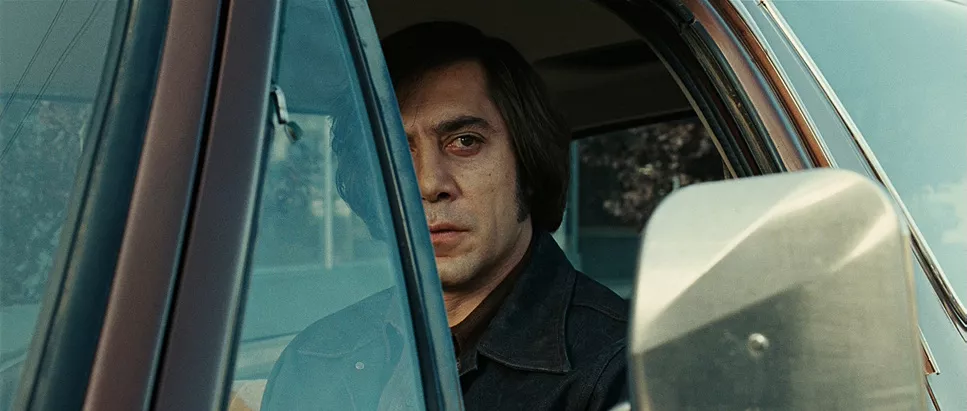 | 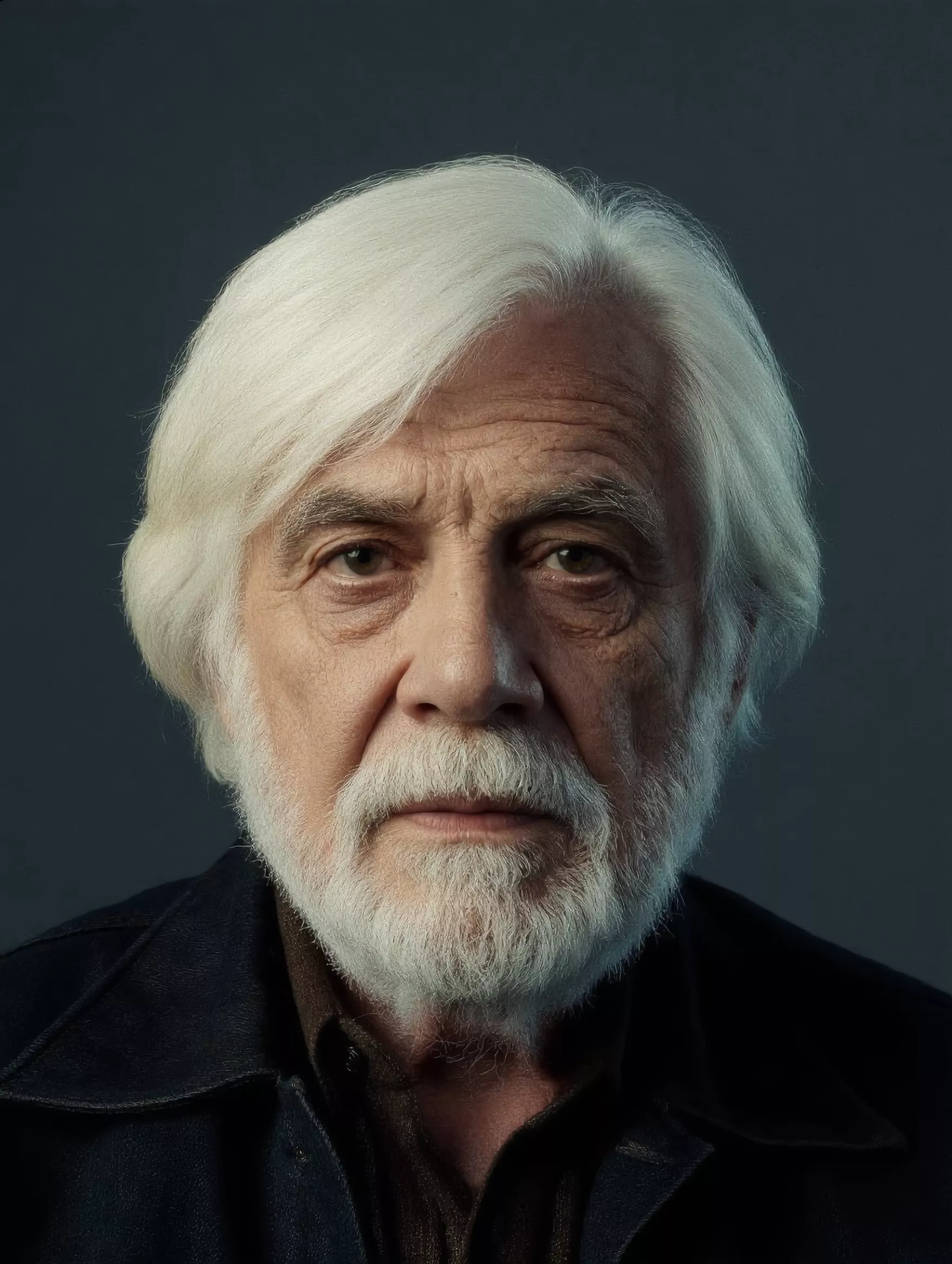 | Replace the elderly man in Image 2 with the man from Image 1, keeping the original tone and atmosphere, and replicate the man's expression. | 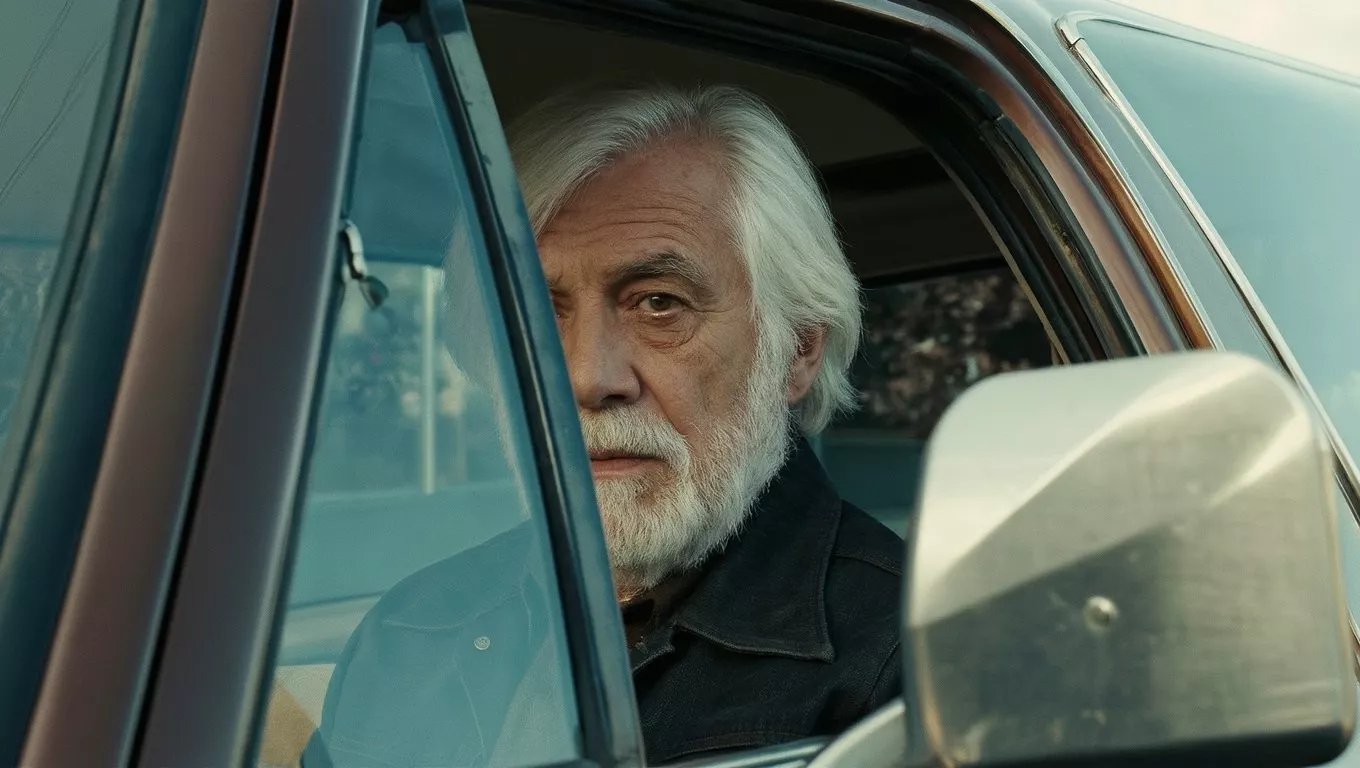 |
Why is AI Multi-image Reference Important for Consistent Characters?
Maintaining the same look for a character across multiple images used to be a major challenge for AI tools. The introduction of AI multi-image reference solves that problem through the support of up to ten different reference pictures. Users upload various angles of a person or a specific object to lock in core traits. The model then extracts those features to generate new scenes where the subject remains identical.
The system uses three primary reference types to guide the generation process:
- Character Reference: Focuses on facial features, hairstyles, and body types.
- Style Reference: Captures the color palette, lighting mood, and artistic brush strokes.
- Structure Reference: Borrows the layout, perspective, and composition from a source image.
Using these references together creates a process called multi-fusion. Multi-fusion is not a simple collage; it is a deep logic blend where elements from different photos exist in one new scene with unified lighting. For example, a designer can take a character from one photo and place them in a forest from a second photo while adopting the painting style of a third photo. Such a capability is vital for comic books, storyboarding, and brand design, where visual unity is required.
Reference-to-image | Promopt | Storyboard 1 | Storyboard 2 | Storyboard 3 | Storyboard 4 | Storyboard 5 | Storyboard 6 |
|---|---|---|---|---|---|---|---|
 | Predict the next part of the story based on this image and generate six storyboard frames to clearly convey the story. | 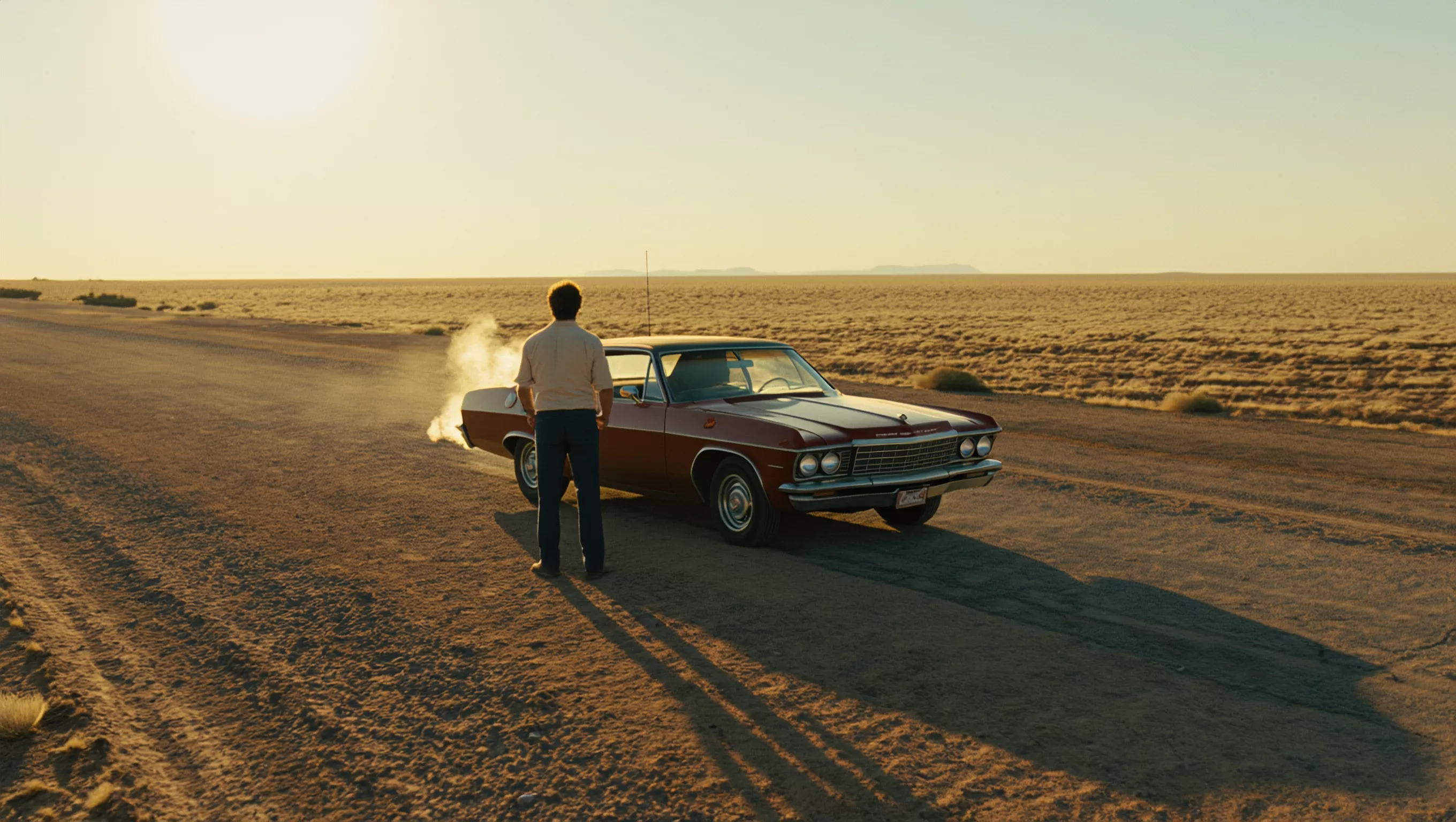 |  | 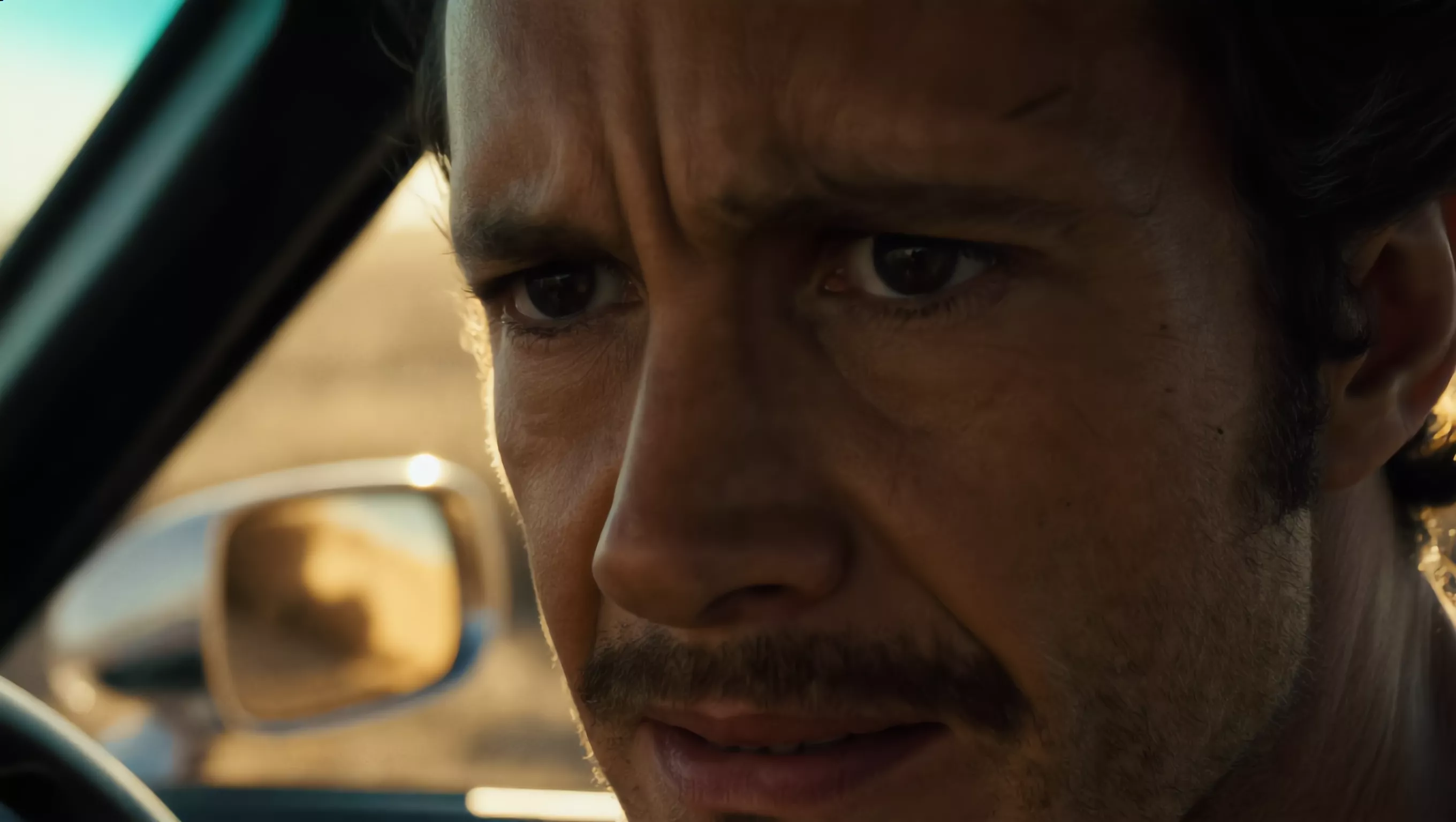 |  | 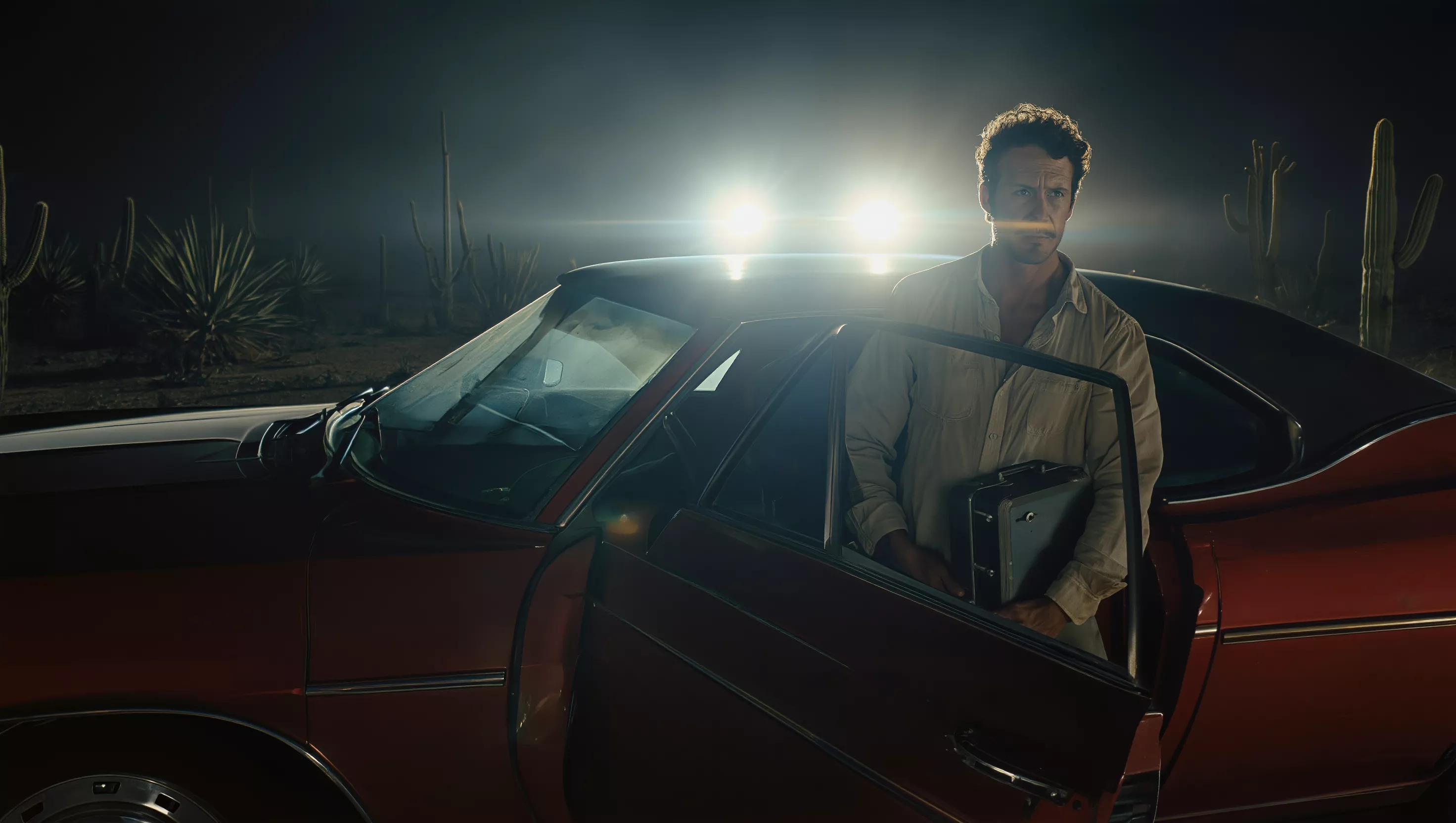 | 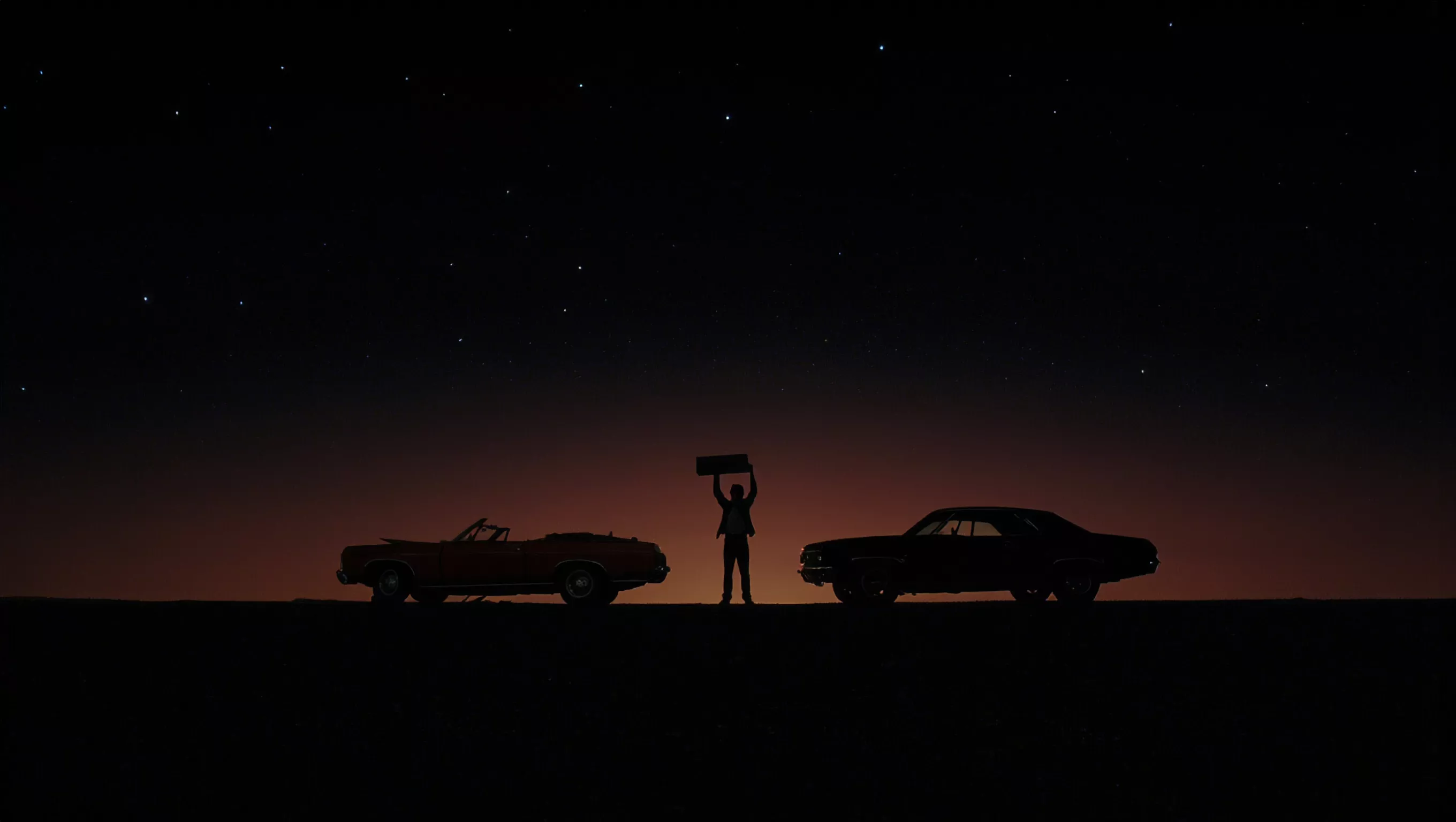 |
How Does Weighting Affect the Final Image?
Every reference picture in the system comes with an adjustable weight slider. The weight ranges from zero to one point zero. A weight of one point zero forces the model to follow the reference image as closely as possible. A lower weight, such as zero point four, allows the model to use the reference for inspiration while giving the text prompt more influence over the result.
Strategic weighting allows for complex creative decisions. A user might set a high weight for a character reference to keep the face accurate, but use a low weight for a structure reference to allow for a new camera angle. Such flexibility helps artists find the right balance between following a source and generating fresh ideas.
What are the Technical Advantages of Kling VIDEO 3.0 Omni?
The Kling VIDEO 3.0 Omni model sits at the top of the 3.0 era as a professional tool for complex tasks. While the standard version handles basic generations, the Kling VIDEO 3.0 Omni model understands long and detailed instructions with high precision. It features a significantly higher prompt limit of two thousand characters compared to the five hundred characters found in the standard version.
The extra character space allows for the use of "If-Then" logic and multi-layered descriptions. Professionals use such space to specify cinematic elements like aperture, depth of field, and specific lighting transitions. The model parses these audiovisual signals to create structured narratives that meet the needs of film production and high-end marketing.
Feature | Standard Version | Kling VIDEO 3.0 Omni |
|---|---|---|
Prompt Character Limit | 500 characters | 2,000 characters |
Logical Complexity | Basic adherence | Advanced "If-Then" logic |
Cinematic Control | General composition | Precision aperture and shot scale control |
Resolution Output | Standard HD | Native 2K and 4K output |
The Kling VIDEO 3.0 Omni model also shows a stronger ability to handle complex spatial layouts. It can follow instructions about which object sits on the left or how background light should reflect off a specific surface. Such details help the model create images that feel tactile and authentic.
Why is 4K Output Essential for Professional Photography?
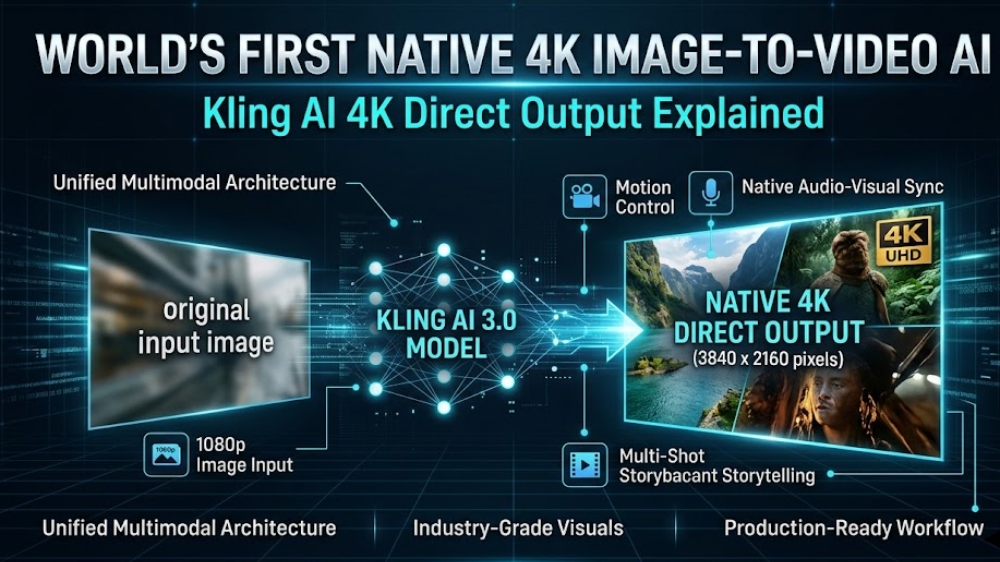
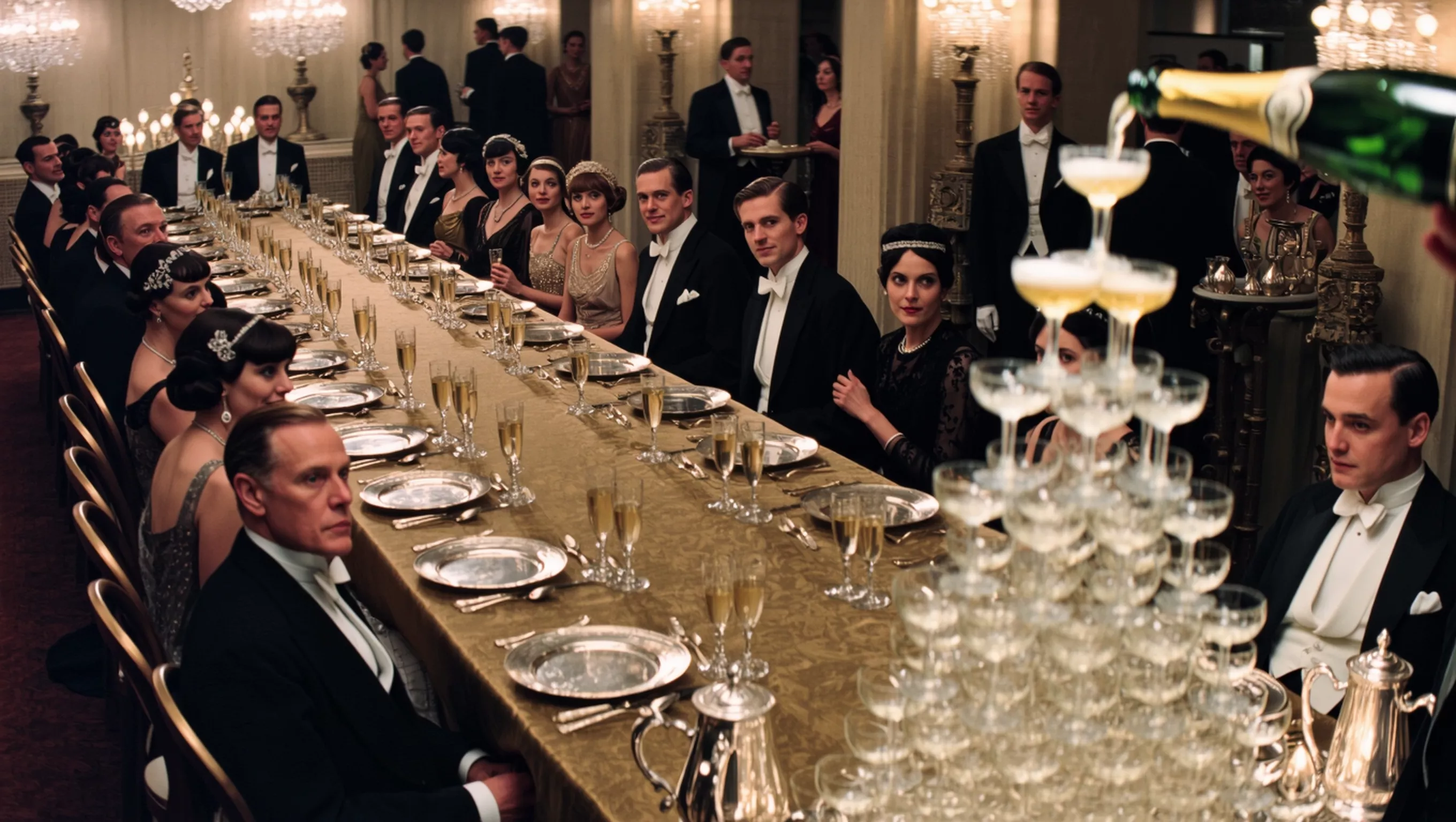
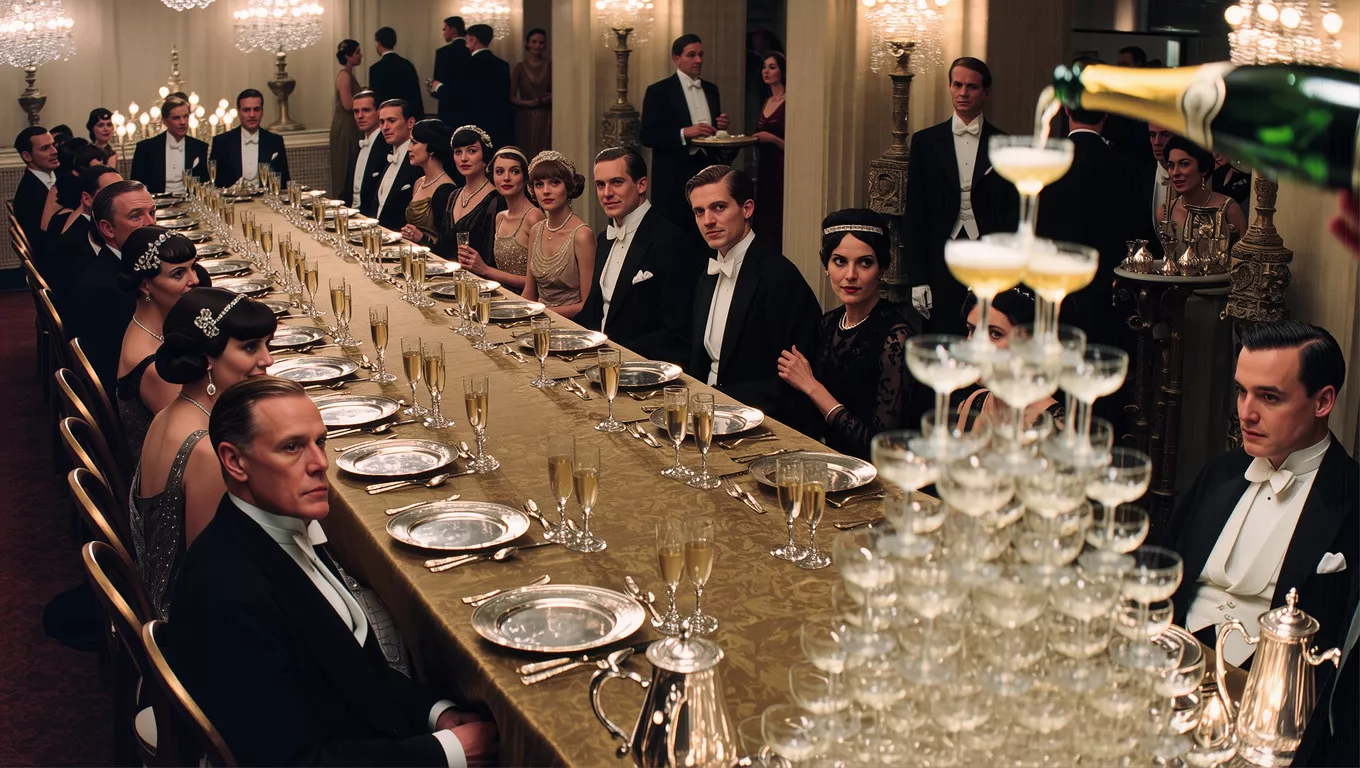
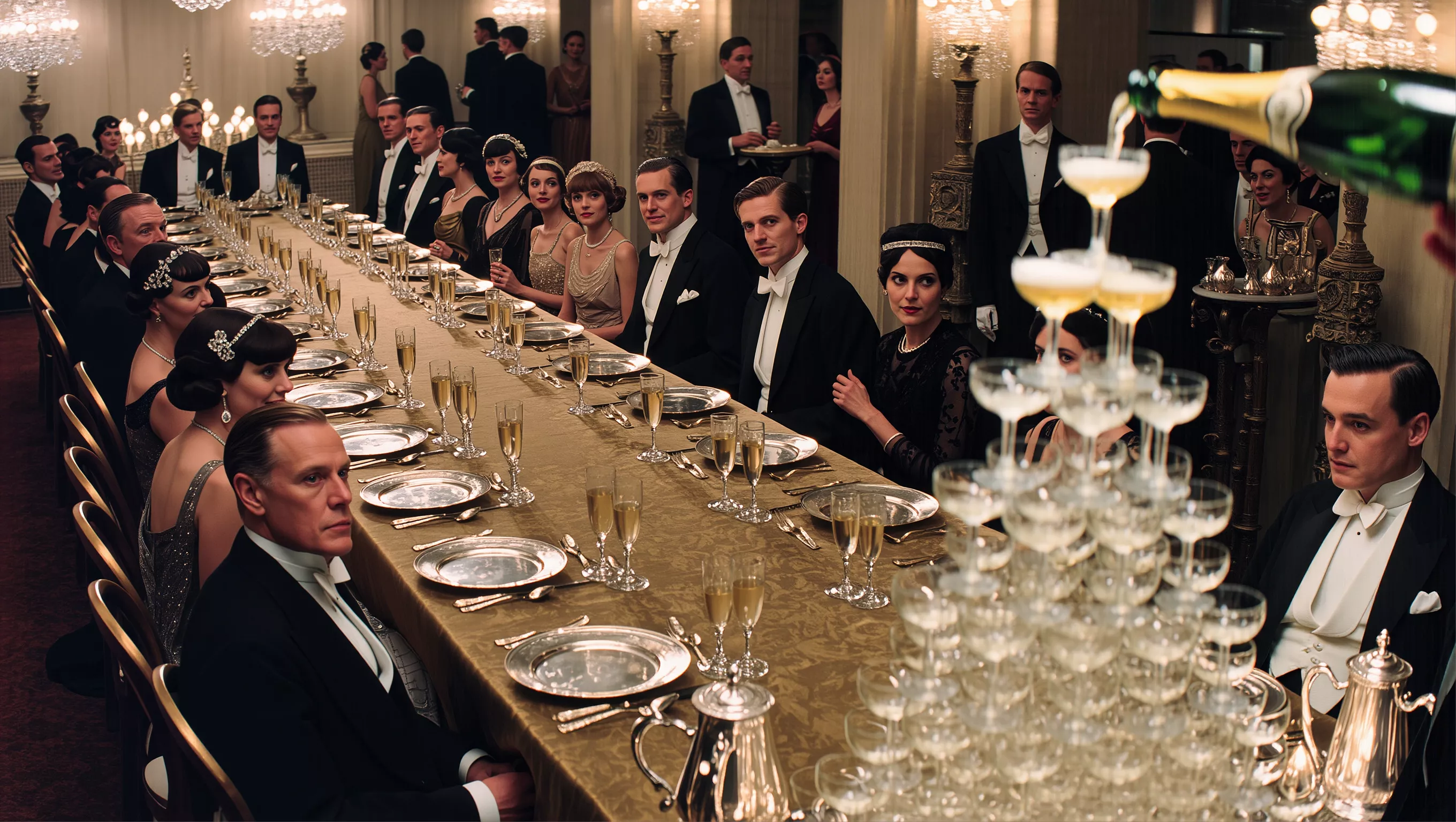
High resolution is more than just a large file size; it is about the micro-details that create realism. Kling Image 3.0 supports native 4K output, which delivers sharp textures suitable for posters and large screens. At such a resolution, the model renders biological features with incredible accuracy.
One area where 4K resolution shines is in skin texture. The model simulates pores, fine hair, and tiny wrinkles to avoid the "plastic" look common in older AI tools. It even mimics subsurface scattering, which is the way light penetrates the surface of the skin to create a natural, warm glow. Such realism is further improved through advanced lighting simulations, including the Tyndall effect for light beams and realistic ray-tracing for reflections.
How Does Series Mode Help With Large Projects?
Creating a group of images that belong together is the primary goal of Series Mode. Such a mode allows for the generation of multiple connected visuals in a single run. It preserves the core characteristics of the reference images throughout the whole batch. This is perfect for users who need to see the same character in different locations or perform various actions while keeping their appearance stable.
The Series Mode works alongside Professional Mode to maximize quality. While the generation might take longer, the results feature richer textures and smoother color transitions. Designers use these modes for pre-production storyboards or brand campaigns where every frame must look like it came from the same camera.
How Can You Control Results With CFG and Seed?
Expert users rely on two hidden parameters to fine-tune their work: CFG Scale and Seed values. The CFG Scale, or Classifier Free Guidance, determines how strictly the model follows the prompt. A high value between ten and fifteen makes the image match the words exactly, though it might result in stiff or overly saturated visuals. A lower value between five and seven allows for more natural, artistic results that look like real photography.
The Seed value is a unique number assigned to every generation. If a user finds a layout they like, they can lock the Seed. Locking the Seed allows the creator to change small parts of the text prompt without moving the main objects in the scene. Such a method provides the ultimate control for professional editing and iterative design.
What is the Future of Cinematic AI Workflows?
The combination of the Kling VIDEO 3.0 Omni model and the 3.0 era features suggests a future where high-end production is accessible to everyone. The ability to control shot scales, aperture-driven depth of field, and complex light environments through text allows for rapid prototyping. As the models get better at understanding semantic logic, the gap between human creativity and AI execution continues to shrink.
Using tools like Kling Image 3.0 editing and AI multi-image reference helps artists build vast visual worlds with zero loss in quality. Whether the goal is a hyper-realistic portrait or a complex cinematic storyboard, the current technology provides the necessary precision. Such advancements confirm that the 3.0 era is defined by user control and professional-grade output.
Kling Image 3.0 offers powerful tools for local editing and multi-image consistency. Users can reach 4K resolution with realistic textures and cinematic lighting through advanced models like Kling VIDEO 3.0 Omni. Features like Series Mode plus adjustable weights for references provide professionals with complete creative control. These tools allow for the production of high-quality, consistent art across various industries while maintaining a simple and smooth workflow for every creator.
1K | 2K | 4K |
|---|---|---|
 |  |  |
Frequently Asked Questions
Q1. What Are the Primary Differences Between Image Inpainting and Full Scene Generation?
Full scene generation creates an entire visual from a text prompt or a single reference image, building every element simultaneously. In contrast, inpainting is a local editing technique that modifies only a selected portion of an existing picture. Through the use of a mask, a creator can swap objects or change clothing while safeguarding the integrity of the rest of the frame. Kling Image 3.0 editing provides high semantic alignment to confirm that the new content matches the lighting and perspective of the original visual.
Q2. How Does Multi-Image Reference Secure Character Consistency Across Different Scenes?
Multi-image reference allows the model to analyze a subject from several perspectives to build a robust three-dimensional understanding. Through uploading up to ten reference images in Kling Image 3.0, users define facial features, body proportions, and clothing details with high precision. The system then uses that data as a ground truth to maintain character identity across various environments and poses. Such a method prevents the identity drift that often occurs when a generator relies on a single static photo.
Q3. What Role Does Redraw Intensity Play in Re-Editing Specific Visual Elements?
Redraw intensity functions as a control slider that determines how much the model deviates from the original masked area. A low intensity setting forces the AI to respect the existing textures and shapes, creating subtle refinements or additions. A high intensity setting provides the system with more freedom to reconstruct the area entirely based on the new prompt. That flexibility allows professional editors to decide whether they want a seamless minor fix or a total transformation of a specific element within the scene.
Q4. Why Is Native Ultra High Definition 4K Output Crucial for Professional Design Work?
Native resolution produces pixels at full scale during the diffusion process rather than stretching smaller images through upscaling. Such a technique preserves micro details like skin pores, fabric weaves, and fine hair that upscaling often blurs. Kling Image 3.0 Omni supports direct 4K output to meet the industrial standards for film storyboards, brand promotional images, and large format posters. High-resolution output captures realistic lighting effects and material qualities with tactile authenticity for high-tier production needs.
Q5. How Can Series Mode Improve the Workflow for Narrative Concept Artists and Directors?
Series Mode generates a sequence of related images that follow a logical narrative flow and maintain a unified style. Concept artists use that feature to produce storyboard frames where characters and settings remain coherent across multiple still images. Through utilizing batch optimization and batch adjustments, the system minimizes repetitive manual tasks. That automation allows directors to focus on the story progression and cinematic pacing while the model secures the visual stability of the entire system.
Join Kling AI Today
Kling Image 3.0 offers powerful tools for local editing and multi-image consistency. Users reach 4K resolution with realistic textures and cinematic lighting through advanced models like Kling Image 3.0 Omni. Features like Series Mode plus adjustable weights for references provide professionals with complete creative control. These tools allow for the production of high-quality, consistent art across various industries while maintaining a simple and smooth workflow for every creator.