The video industry is evolving rapidly. Classic storyboarding takes four or five weeks. Nowadays, AI video platforms do it in a matter of hours. Intelligent platforms enable creators to craft dynamic storyboards within minutes. They combine time-honored methods with cutting-edge technology. The end result? Quicker workflows and improved creative communication. Among these platforms, Kling AI stands out for fast animatic shots via text-to-video, image-to-video, and video extension at up to 1080p/30 fps.
How Does Kling AI Enable Dynamic Storyboarding?
AI dynamic storyboarding quickly turns scripts into playable shot sequences, compressing weeks of hand-drawn boards into hours of iteration. Kling helps lock camera setups, pacing, and visual look early in the process.
Why Choose Kling?
Kling accelerates dynamic storyboarding by enabling same-day multi-version output, keeping budgets predictable, and cutting reshoots and rework. Teams preview rhythm and emotion as a moving cut, which clarifies intent, reduces miscommunication, and speeds stakeholder alignment. Approvals happen in fewer rounds, iteration cycles shorten, and risk is surfaced earlier. Strong prompt adherence and flexible camera control support rapid versioning without rebuilding sequences, while consistent look management helps maintain brand and continuity. The result is faster decisions, cleaner handoffs to editorial and VFX, and a more reliable path from concept to shoot.
Kling's Key Features
- Automatic Scene Generation
Automatically generates editable blocking and camera setups from scene/line beats, reducing hand-drawn work and set-up time.
Case: After importing an office dialogue script, Kling proposes opposing positions and shot changes for two characters; the director only tweaks positions and camera height to deliver a first pass.
Preview dolly/push, pan, tilt, and zoom before shooting to judge coverage and emotional effect.
Case: For the opener, preview both a slow push-in and a handheld move; the team chooses the steadier push-in to emphasize brand polish.
- Pacing Control
Stretch or compress shot duration without rebuilding the sequence to hit emotional beats precisely.
Case: In an argument scene, slightly extend the key reaction shot so the pause lands, making the transition into the next cut smoother.
- Extension & Restyling
Use image-to-video to unify art direction and lighting; use short video extensions to “add a few beats” for story clarity.
Case: For the same character in restaurant and street scenes, image-to-video keeps wardrobe and skin tone consistent; a final extension on the closing shot lets the voice-over resolve more naturally.
With Kling as your rapid pre-viz engine, you can turn pages into playable shots in hours, align stakeholders sooner, and hand off cleaner to editorial and VFX. Start with a short scene to validate the pipeline, then scale with confidence into production.
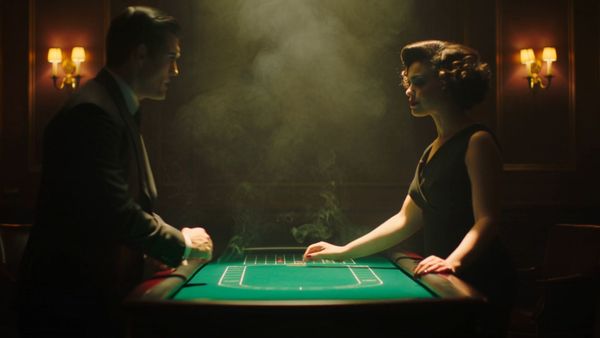
| Scripted Performance (Short Play): For short stories and emotional dialogue | |
  |  |
How to Choose AI Storyboarding Tools (Start with Kling)?
Pick your stack with intent—match tools to scope, budget, and team speed. Use Kling as the pre-viz engine, then layer in edit and VFX where they shine.
Step 1: Project Requirements and Budget
Start by sizing the project: scope, schedule, delivery specs, and cost ceiling. High-end studios usually prioritize collaboration, security, and pipeline control, while independent creators focus on price and ease of use. Define must-haves versus nice-to-haves, and decide whether your default output is HD or 4K. Consider team size and review cadence because a solo creator and a 20-person crew move very differently. Finally, map scenes to Kling modes so effort is targeted—use text-to-video for brand-new shots, image-to-video for look development and style lock, and short extensions when timing needs fine tuning without rebuilding the whole beat.
Step 2:Platform Capability Comparison
To identify the right mix, prioritize Kling AI as your central production engine and utilize other platforms for specialized upstream or downstream tasks.
Pipeline Role | Category | Platform | Result-Oriented Indicators |
Central Engine | Dynamic Storyboard / Animatic Engine | Kling AI | Script -> Playable Shots; Camera Pre-viz (6-axis control); Rhythm Stretchability (30fps / 1080p) |
Upstream | Visual Blueprint & Assets | Midjourney, Boords, Storyboard That | Style Consistency; Static Blocking; Character Design Reference |
Downstream | Specialized VFX & Restyling | RunwayML, Luma AI | Video-to-Video Restyling; Artistic Morphing; Background Removal |
Downstream | Assembly & Finishing | Premiere Pro, DaVinci Resolve, Topaz | High-end 4K Upscaling; Audio-Visual Sync; Final Color Grade |
Notes: Kling AI supports advanced model versions from v1.0 to v2.5 (Turbo/Pro). Use its specialized Character Reference and Elements Reference features to maintain consistency throughout your storyboard.
Step 3: Trial Testing and User Experience
- Use real project material instead of demo assets and measure how the tools behave under your constraints.Interface feel and friction during everyday use
- Render/iteration speed across 3–5 scripted shots (try mixed aspect ratios: 16:9, 9:16, 1:1)
- Output reliability and any blockers or odd artifacts
- A short Kling test scene to benchmark how quickly you can revise timing and angles
Step 4: Team Skills and Learning Curves
Match tools to current skills to avoid training drag. Some platforms feel plug-and-play; others need structured onboarding. Budget time for learning and lean on presets, templates, and reference-image prompting in Kling to shorten the ramp. A slightly simpler tool your teammates can master this week will outperform a powerful platform no one truly understands.
Step 5: Tool Combination Strategy
Most professional workflows are a two-to-three-tool stack. Validate that assets hand off cleanly—Kling for shot generation and tempo passes, your NLE for assemblies, and VFX/grade downstream. Run an end-to-end test with sample media before you pay, confirm codecs and aspect ratios, and document the flow so new collaborators can slot in without stalling the schedule.
When your tests pass and the pipeline is documented, lock it for this show—then review post-delivery to fine-tune the stack for your next sprint.
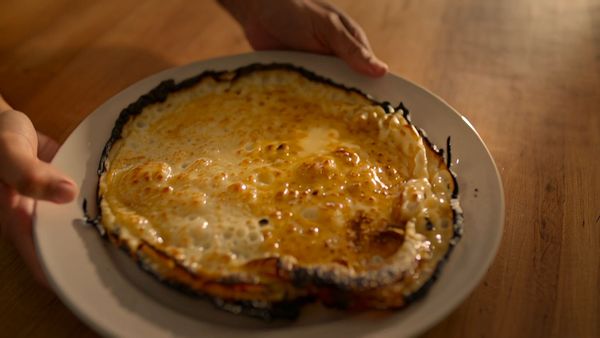
| Daily Conversation: Casual, Natural, and Conversational | |
 |  |
How to Get Started with Kling AI and Your Tools?
A clean setup saves hours later. Follow this quick start so Kling and your toolchain run smoothly from day one.
Step 1: Install Software and Register Accounts
- Create a stable base so creative work isn’t derailed later.Install apps, create accounts, update GPU drivers, add any plug-ins
- Set up cloud storage/versioning for backups
- Create a Kling workspace and default presets (1080p/30 fps, target aspect ratios)
- Use strong, unique passwords and basic access rules for the team
Step 2: Reference Materials and Scripts
- Organize inputs so the AI reads your intent clearly.Script in your preferred format; scene numbers and beats aligned
- Reference images, mood boards, and location stills in tidy folders
- Character descriptions, wardrobe notes, and visual requirements
- Key frames or concept stills attached to Kling’s image-to-video for style continuity
Step 3: Project Parameters
Lock delivery specs early—aspect ratio, frame rate, total duration, and scene breakdown. Choose Kling model versions by scene type: lightweight beats can run on faster models; complex motion can use a richer model. These choices become the guardrails for every later decision.
Step 4: Initial Dynamic Storyboard
Start small with a dialogue-driven scene and minimal tweaks. Focus on navigation and core controls first; polish later. Use short extension passes in Kling to nudge timing rather than rebuilding shots, and note how quickly you can iterate compared with static boards.
Step 5: Storyboard Refinement and Optimization
Now shape the storytelling: adjust angles for emotional emphasis, shift blocking for stronger composition, and stretch or compress beats to land the pace. Save a few variations for side-by-side reviews. Motion brush adjustments for micro-movement and eye-lines can sell performance without re-authoring the entire shot.
Step 6: Export and Team Review
Export to the mezzanine codec your edit team prefers (e.g., ProRes or DNx) and push to cloud for comments and version control. Establish a predictable review rhythm—notes due times, who signs off, and what triggers a new pass—so momentum stays high and surprises stay low as you move into assembly and finishing.
With the groundwork set, you can iterate faster, gather clearer feedback, and keep the focus where it belongs—on story and performance.
| Comedy Skit: Fast-paced, with Strong Contrast | |
 |  |
Limitations and Where Kling Fits
Every tool has boundaries. Understanding limitations helps you work effectively and set realistic expectations. Current AI struggles with complex action sequences and character facial expressions. Physics-based effects like explosions often look artificial.
The solution:
- Use AI for structural layout, then refine manually. Most professionals favor a hybrid workflow—letting AI handle the initial groundwork while human artists shape performance and polish the final look. Speed shouldn’t compromise vision.
- Set quality benchmarks and review every shot. Create approval checkpoints throughout production. The technology improves monthly, so stay updated on new features. Early adopters gain competitive advantages by mastering updates quickly.
Use Kling for layout/timing passes, then finalize nuance in your NLE and VFX stack.
FAQ
Q1. How Do I Set Up Kling For Consistent Style And Timing?
Begin with clear guardrails: lock aspect ratio and frame rate (e.g., 1080p/30 fps), then create a shot list with beats and camera notes. Feed Kling strong image references for characters, costumes, and color tone; keep them consistent across shots. Start shots with text-to-video or image-to-video, then refine pace using short video extension passes instead of rebuilding. Use motion brush for eye-lines and micro-movement, and keep prompts stable—only change one variable per iteration so you can track what improved.
Q2. How to keep character appearance consistent with Kling AI?
This is a key challenge in the AI storyboarding workflow, and the solution is to establish a "visual anchor." First, generate or prepare a high-quality, stylistically clear "benchmark reference image" of your character—this image will serve as your character's "digital actor." For subsequent shots, consistently use Kling's "image-to-video" feature, feeding it this benchmark image as the source input. In your prompts, keep the core description of the character consistent, only modifying the action, scene, and camera angle. For example: "A man in the blue jacket [from the reference image] runs down a rainy street, wide-angle shot." For minor deviations, you can use the Motion Brush for localized corrections, such as adjusting the character's eye-line. This method allows you to avoid re-generating the entire shot, thereby maximizing character continuity while maintaining efficiency.
Q3. Where Does Kling Fit In A Professional Pipeline?
Think of Kling as your rapid pre-viz engine: block action, prove camera logic, and validate timing before crew time is spent. The typical flow is Kling for shots → NLE for assembly and audio temp → VFX/grade for polish. Use Kling to answer story questions early—coverage, pacing, and framing—then hand off to editorial with clean exports and reference frames. Keep a living doc of decisions, and when a shot graduates from “concept” to “locked intent,” freeze the references so downstream teams work from the same visual target.
Start Your Free AI Storyboarding Trial Now!
AI dynamic storyboarding is not only a trend; it is where pre-production is headed. Time is saved; cost is reduced; and communication is enhanced. Creativity is not being substituted; it is being amplified. Ready to revolutionize your pre-production process once and for all? Test a short scene in Kling (e.g., model 2.5 image-to-video + extension), then circulate the animatic for feedback. Pick a simple project and see the difference for yourself. It's the future of film, and it's time you climbed aboard.